Note: This feature is included in select LCvista plans. If you’d like to learn more about access, please connect with your Account Manager.
Overview
LCvista has developed a custom integration with LumiQ to populate LumiQ podcast episodes in an LCvista learning catalog. This allows users to launch into episodes and to track completions and continuing education credits earned for those episodes in LCvista.
This article will cover the frequency at which episodes can be made available, the session data that will be visible, as well as user launch, user mapping, and user completion tracking.
For more information on integrating with LumiQ through LCvista, please contact your Account Manager or support@lcvista.com.
Learning Catalog
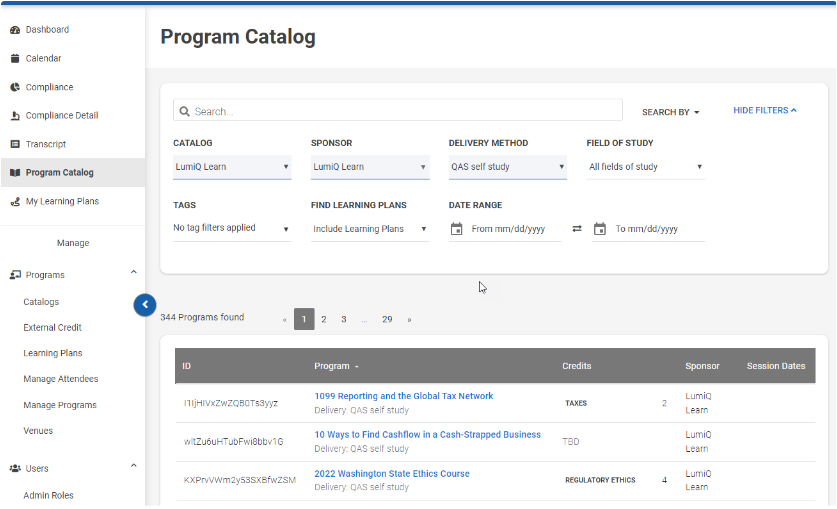
LCvista will load episode data into a LumiQ Learn learning catalog on a predefined schedule. Administrators must associate their desired user group(s) with this catalog in order for it to be visible on the Learning Catalog.
Program/Session Details
LumiQ episodes will be populated as individual sessions in LCvista. These sessions will include the following details:
Delivery Method: QAS self-study
Content Type: URL
Launch URL: A deep link directly to the LumiQ episode
Expiration: None.
Sessions will not have an expiration date in LCvista. When an episode is archived by LumiQ, users will continue to have access to launch, and at that time will be navigated to the archived episode in LumiQ.Fields of Study: NASBA Topic Areas.
-
Program Qualifications: Fraud, Jurisdiction-specific ethics, Valuation.
Episodes that qualify for fraud, jurisdiction-specific ethics in select jurisdictions, and valuation will appear in LCvista.

Session Enrollment
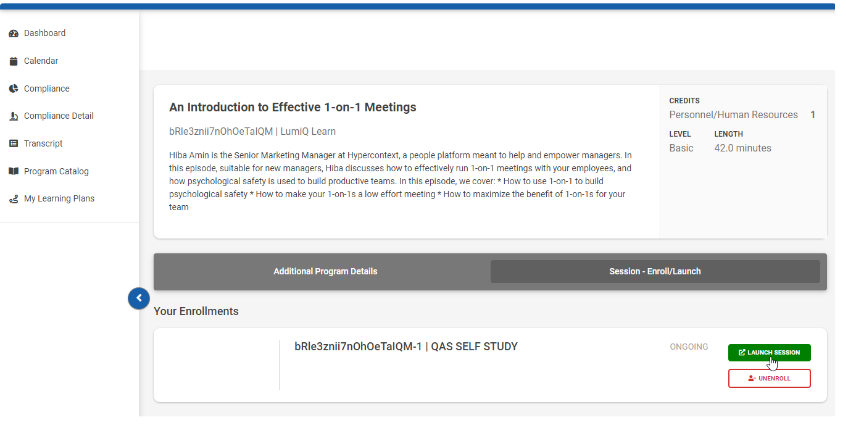
You can enroll in a session from the Program Preview page. Selecting Launch on the session in LCvista will navigate you to the LumiQ Web App. You will also have access to launch a session from your phone, at which point you will be navigated to the mobile app to view the episode.

User Mapping
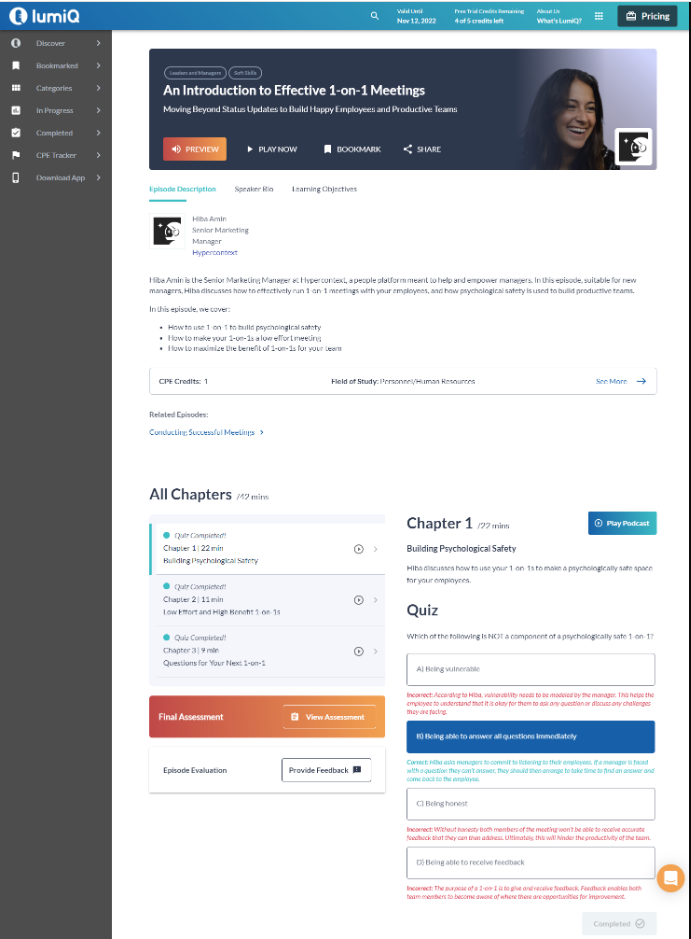
Upon launching a LumiQ session from LCvista, you will need to log into LumiQ directly to access the episode and receive credit for completion. A mapped user account must exist in LumiQ for successful login. Single sign-on is not currently supported.
LCvista maps username, email, and slug to accounts in LumiQ in order to associate the user with the organization and to issue completion and credit appropriately.

Completions
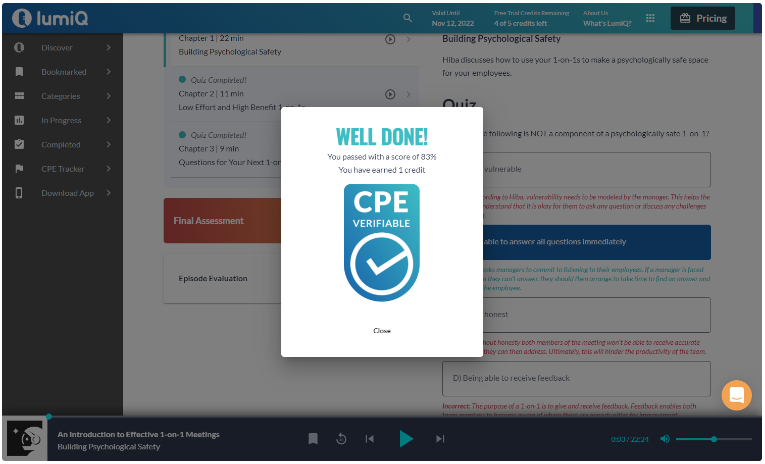
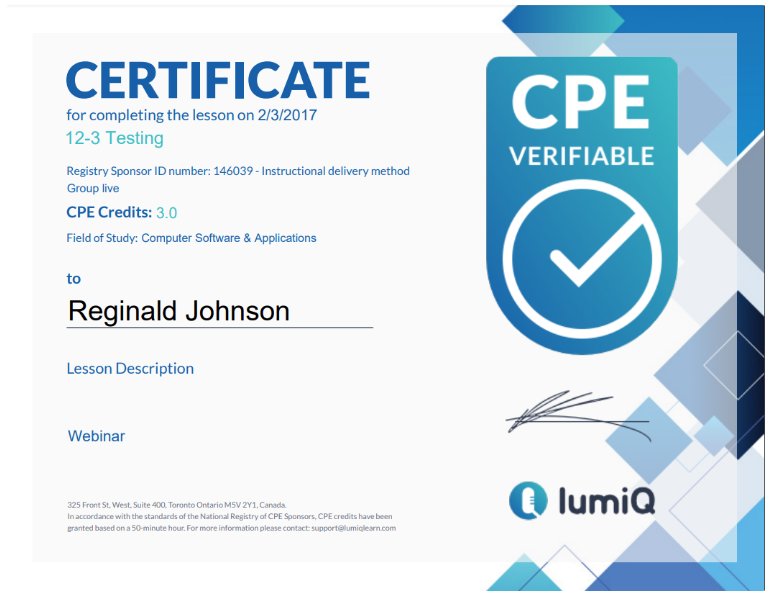
Sessions are marked complete in LCvista within 24 hours of the user receiving a certificate of completion in LumiQ. Completions are updated daily for any completions that have taken place in the prior 24 hours. Please note that all professionals will appear with a status of Passed with custom credit in the Manage Attendees page.

Additional Details
-
Completions: LumiQ will send an email to professionals with a link advising them to activate their account. All professionals must activate their accounts before they can complete LumiQ content. Please note: If your account is not activated, you will be taken to a trial version of LumiQ, and those completions will not be sent to LCvista.
- Global App Users: During onboarding, users select if they are or aren't US designated professionals. Users who aren't in the US and are on the Global app will not have their completions loaded into LCvista. Please reach out to your LumiQ account representative if you have questions on this.
- Revisions: Users in LCvista will always be directed to the most recent episode in LumiQ. Revisions to LumiQ episodes will update episode details in the session in LCvista, but to preserve the user’s session record and status associated with the episode, LCvista will not create a new program or session when a new/updated episode is released.
-
Special Custom Accreditation Adjustments. LumiQ will be unable to map credit to a subscriber's custom jurisdictions in cases where automatic mappings have not been defined. In this situation, a subscribing administrator will be required to issue credit to users for these jurisdictions through Manage Attendees. Credit issued in this way will be distributed as custom credit. Subscribing administrators will not be required to perform this step for custom jurisdictions where default mappings are in place.
Related to